“A similarity score is not a plagiarism verdict. It flags textual matches for human review — your tutor always makes the final judgement.”
Want to check your similarity score before your university does? Our plagiarism checking service uses Turnitin to give you a full report within 24 hours — your document is never added to any database. Get an instant quote.
What Is Turnitin?
Turnitin is a plagiarism detection platform used by universities, schools and publishers worldwide to check written work for originality. It compares submitted documents against a vast database that includes published academic journals and books, billions of web pages, previously submitted student work from universities around the world, and news articles and other published material.
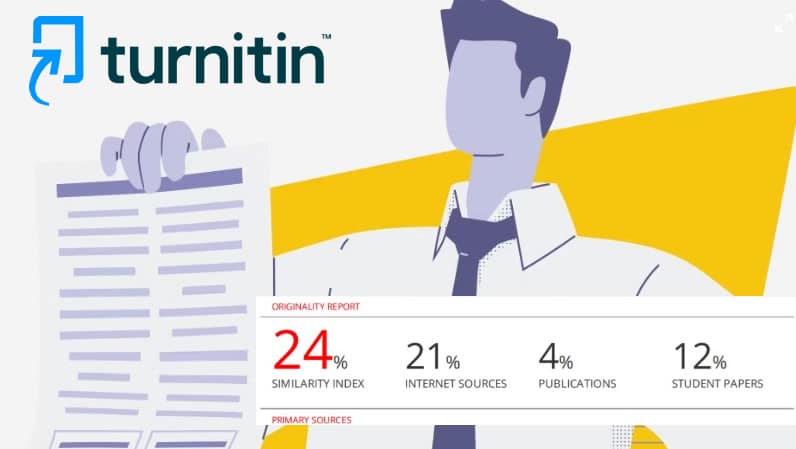
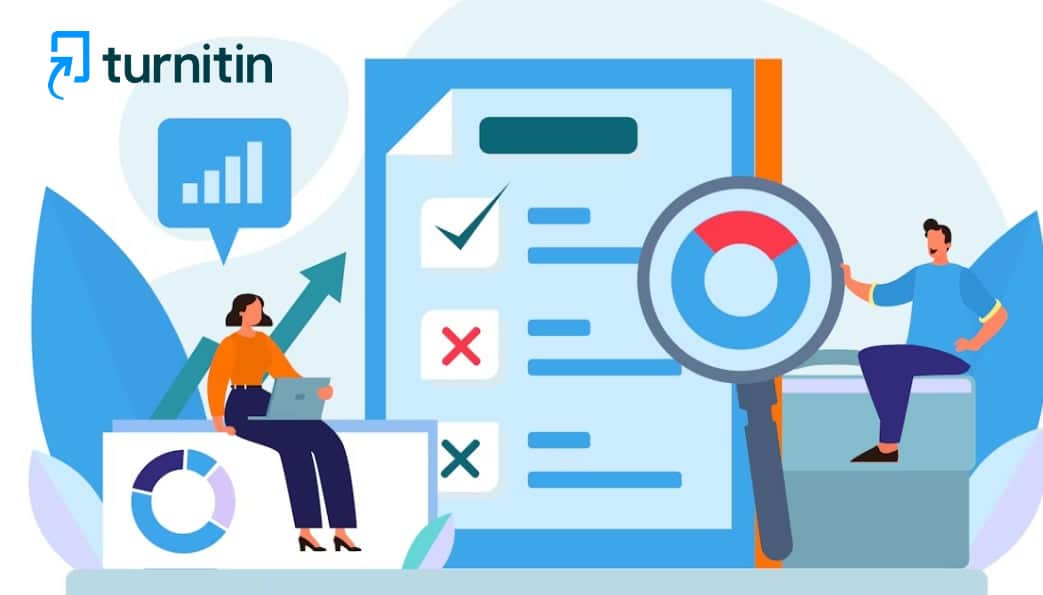
The result is a Similarity Report — a detailed breakdown of your document showing which sections match content already in Turnitin’s database, what they match against, and a percentage score representing the proportion of your text that has been flagged.
It is important to understand what Turnitin does not do. It does not make a judgement about whether you have plagiarised — that judgement is made by your tutor or academic integrity officer when they review the report. Turnitin simply identifies textual similarity.
How to Submit Your Work to Turnitin
Most UK universities integrate Turnitin directly into their virtual learning environment (VLE) — typically Moodle, Blackboard or Canvas. Here is the step-by-step process:
1
Find Your Assignment Submission Page
Log in to your university’s VLE and navigate to the relevant module. Find the assignment submission link and click to open the submission portal.
2
Upload Your Document
Turnitin accepts most common file formats including Word (.docx), PDF and plain text files. Upload your document using the file upload button.
3
Confirm Submission Details
You will typically be asked to confirm your name, the submission title and other details. Some universities also ask you to agree to an academic integrity declaration at this stage.
4
Submit and Note Your Confirmation
Once submitted, you will receive a confirmation — usually a digital receipt with a submission ID. Keep this safe as proof of submission.
5
Wait for Your Similarity Report
Your report is usually generated within minutes, though peak periods may cause delays. If your university allows resubmissions, note that Turnitin applies a 24-hour delay before generating a new report.
How to Read Your Similarity Report
Once your Similarity Report is ready, here is how to interpret what you are seeing:
The Similarity Score
The headline figure — expressed as a percentage — represents the proportion of your text that Turnitin has identified as matching content in its database. This is displayed as a coloured icon at the top of the report:
| Colour |
Score Range |
General Indication |
| 🔵 Blue |
0% |
No matching text found |
| 🟢 Green |
1–24% |
Low similarity — generally acceptable |
| 🟡 Yellow |
25–49% |
Moderate similarity — likely to be reviewed |
| 🟠 Orange |
50–74% |
High similarity — almost certainly flagged |
| 🔴 Red |
75–100% |
Very high similarity — serious concern |
The Highlighted Text
In the document view, matched sections of your text are highlighted in different colours, each corresponding to a different source. Clicking on a highlighted section shows you the source it matches against.
The Match Overview Panel
On the right-hand side of the report, you will see a list of all matched sources ranked by the percentage of your text they account for.
Filtering Options
Most versions of the Turnitin report allow you to filter out your bibliography, quoted material, or very small matches. Applying these filters gives you a clearer picture of whether your score is being inflated by legitimate content.
Understanding Your Similarity Score
The most important thing to understand is that a similarity score is not a plagiarism verdict. Not all similarity is problematic:
What Contributes Legitimately
- Correctly cited direct quotes
- Your bibliography and reference list
- Common academic phrases and standard terminology
What Contributes Problematically
- Closely paraphrased content without proper attribution
- Direct quotes that are not cited
- Copied sections from your own previous work (self-plagiarism)
For more detail, see our article on what is a similarity score and what does it mean.
Not sure if your similarity score is acceptable? Run a Turnitin check with us before you submit. Our plagiarism checking service returns a full report within 24 hours — your document is never saved to any database. Get an instant quote.
Turnitin’s AI Detection Feature
Since 2023, Turnitin has included an AI writing detection feature alongside its standard plagiarism checking. This analyses your text for the statistical patterns characteristic of AI-generated content and generates a separate AI detection score.
Key things to know about Turnitin’s AI detection:
- It cannot identify which specific AI tool was used
- It has a known false positive rate — particularly for non-native English speakers
- Thoroughly rewritten AI content is harder to detect than lightly edited output
- A high AI detection score triggers further investigation, not automatic disciplinary action
For more detail, see our article on will my university know I used ChatGPT.
What to Do If Your Score Is Too High
If your similarity score is higher than expected, here is how to address it:
- Open the full report and identify what is causing the high score — separate legitimate matches from problematic ones
- Exclude your bibliography from the calculation if it is inflating your score
- Rewrite closely paraphrased sections — close the source and genuinely rewrite in your own words
- Add missing citations for any content flagged as matching a source without attribution
- Run a second check after making changes to confirm your score has come down
For a comprehensive guide, see our article on how to reduce your Turnitin similarity score legitimately.
Check your Turnitin score before your university does.
Our plagiarism checking service uses Turnitin to give you a full similarity and AI detection report within 24 hours. Your document is never added to any database. Full money-back guarantee.
Frequently Asked Questions
Does Turnitin save my work to its database?
When you submit work through your university’s Turnitin account, it is typically stored in Turnitin’s student paper repository. When you use a third-party service like Proofers, your document is not saved to any database, so it will not affect your actual university submission.
Can I submit to Turnitin before my final submission?
This depends on your university’s settings. Some institutions allow draft submissions; others only allow one. Check your assignment guidelines. Alternatively, our plagiarism checking service gives you a full Turnitin report with no impact on your university submission.
What is a good Turnitin similarity score?
There is no universal threshold. Most UK universities consider scores below 15% low risk. However, the percentage matters less than what is causing it — always open the full report to understand your score before drawing any conclusions.
Why is my Turnitin score high even though I wrote my own work?
Several factors can inflate your score legitimately — your bibliography, correctly cited quotes, common academic phrases and standard terminology. Open the full report and filter out your bibliography and quoted material. If the score drops significantly, the high headline figure was not indicating a problem.
Can Turnitin detect AI writing?
Yes — Turnitin has an AI detection feature that analyses text for patterns characteristic of AI-generated content. It is not a definitive proof of AI use — it flags content for human review. See our guide on will my university know I used ChatGPT for more detail.
Summary
- Turnitin compares your work against a vast database and generates a similarity score and report
- The similarity score is not a plagiarism verdict — it flags textual matches for human review
- Not all similarity is problematic — correctly cited quotes and reference lists contribute legitimately
- Turnitin now also includes an AI detection feature alongside standard plagiarism checking
- If your score is too high, identify the causes in the full report and rewrite closely paraphrased sections
- A pre-submission Turnitin check through Proofers gives you a full report without adding your document to any database
Submit your document today for a professional Turnitin plagiarism check — returned within 24 hours with a full money-back guarantee.