Posted on 11th November by Proofers Editorial Team
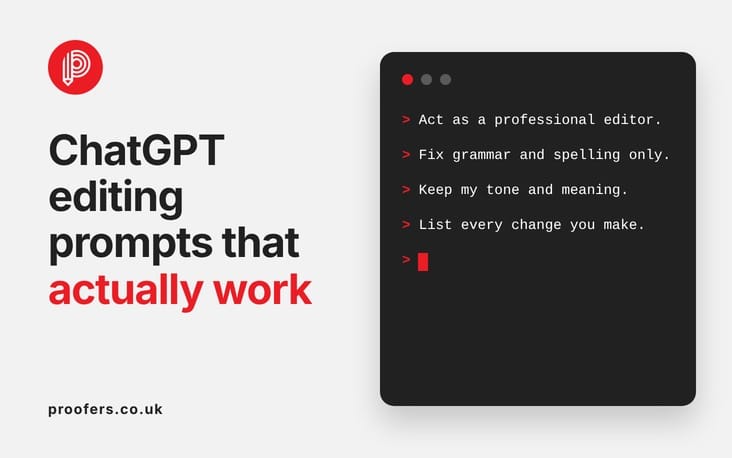
The way you prompt ChatGPT makes all the difference when it comes to editing your writing. Vague instructions produce vague results — but the right prompt can turn ChatGPT into a surprisingly useful editing assistant. This article shares the prompts that consistently produce better feedback, clearer rewrites and more useful suggestions.
Whether you are editing an academic essay, a business email or a blog post, these tested ChatGPT editing prompts will help you get more out of AI — and know when to call in a professional instead.
ChatGPT can be a genuinely useful editing assistant — but only if you prompt it well. Vague prompts lead to heavy rewrites that change your voice and may introduce new errors. Specific prompts lead to targeted, useful feedback. This guide gives you the prompts that actually work, plus the ones to avoid.
Why Your Prompt Makes All the Difference
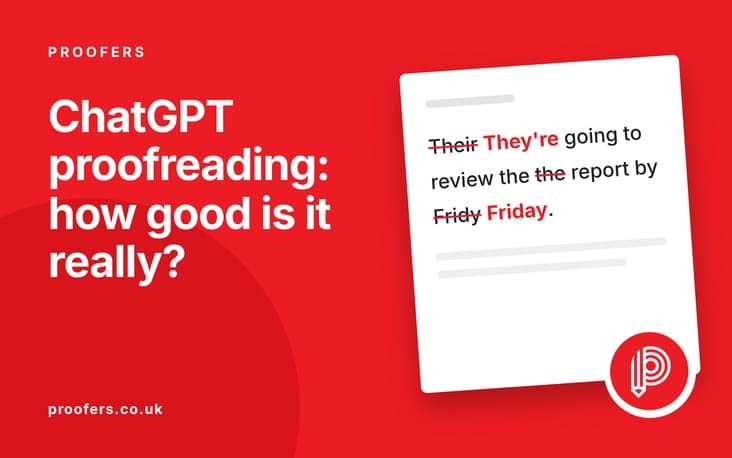
ChatGPT is a text generator, not a proofreading tool. When you give it your writing and say “proofread this,” it generates a corrected version — often changing far more than you intended.
A well-crafted prompt gives ChatGPT clear boundaries: what to fix, what to leave alone, how to present its suggestions, and what your specific goals are. The prompts below are structured to get useful, targeted feedback without unwanted rewrites.
One general principle before you start: the more specific your instructions, the more useful the result. “Check for errors” produces a rewrite. “List every spelling error in a table, do not change anything else” produces a targeted error list. That difference is entirely in how you frame the request.
ChatGPT Proofreading Prompts That Work
For errors only (no style changes)
“Please proofread the following text for spelling, grammar, and punctuation errors only. Do not rephrase sentences or change the style. Present all corrections in a table with three columns: Original, Corrected, Reason. [PASTE TEXT]”
This is the most reliable prompt for genuine proofreading. The table format prevents ChatGPT from silently rewriting and forces it to justify each change.
For a clean corrected version
“Please correct all spelling, grammar, and punctuation errors in the following text. Keep my original sentence structure and word choices wherever possible. Return the corrected version only, with any changes shown in bold. [PASTE TEXT]”
The “shown in bold” instruction is important — it makes changes visible so you can review them before accepting.
For errors with explanations
“Proofread the following text. For each error you find, quote the original phrase, write the correction, and explain the grammatical rule in one sentence. [PASTE TEXT]”
This prompt works well for learning as well as correcting. If you want to understand why something was wrong, this structure makes the reasoning explicit.
For consistency checking
“Read the following text and identify only consistency errors: inconsistent capitalisation of terms, inconsistent hyphenation, and inconsistent use of numerals vs written numbers. List each inconsistency you find. Do not suggest any other changes. [PASTE TEXT]”
ChatGPT Editing Prompts for Structure and Clarity
These go beyond proofreading into light copy editing — improving clarity, flow, and readability without changing your argument.
For clarity and conciseness
“Please review the following text for clarity. Identify any sentences that are confusing, overly long, or unclear. Suggest a clearer version for each, but keep changes minimal. Do not rewrite the entire text. [PASTE TEXT]”
For flow between paragraphs
“Read the following text and identify any places where the transition between paragraphs feels abrupt or unclear. Suggest transitional phrases or sentences I could add. Do not rewrite the paragraphs themselves. [PASTE TEXT]”
For passive voice
“Identify all instances of passive voice in the following text. For each one, suggest an active voice alternative. Mark them clearly so I can decide which to change. [PASTE TEXT]”
For sentence length variation
“Read the following text and identify paragraphs where sentence length is too uniform (all sentences roughly the same length). Suggest 2-3 specific edits to vary the rhythm, without changing the meaning. [PASTE TEXT]”
Sentence length variation is one of the clearest signals of natural human writing. This prompt targets a specific structural problem rather than inviting a wholesale rewrite.
Prompts for Academic Writing
Academic writing requires particular care. These prompts are designed to get useful feedback without compromising your authorship. See also our related guides on using ChatGPT for university work and AI detection risks.
For proofreading academic text
“Proofread the following academic text for spelling, grammar, and punctuation errors only. Do not change my argument, sentence structure, or academic vocabulary. List all corrections in a table. [PASTE TEXT]”
For checking consistency
“Read the following academic text and check for consistency in: (1) tense throughout, (2) capitalisation of key terms, (3) hyphenation. List any inconsistencies you find. Do not rewrite anything. [PASTE TEXT]”
For checking argument structure (without rewriting)
“Read the following academic text. Without rewriting it, tell me: (1) Does my introduction clearly state the argument? (2) Does each paragraph have a clear topic sentence? (3) Is there a paragraph that seems out of place? Give feedback only — do not suggest rewrites. [PASTE TEXT]”
This separates feedback from rewriting, which is exactly the distinction students need when checking work for submission.
Prompts for Tone and Voice
Getting ChatGPT to give feedback on tone without altering it is tricky, but these prompts help:
For checking tone appropriateness
“Read the following text. Without rewriting it, tell me: does the tone feel appropriate for a professional business audience? Identify any specific sentences that feel too casual, too formal, or inconsistent with the rest of the piece. Do not suggest rewrites — just identify the issues. [PASTE TEXT]”
For checking formality level
“Read the following text and identify any words or phrases that seem inconsistent in register (too formal or too informal for the rest of the piece). List them specifically. Do not rewrite the text. [PASTE TEXT]”
Prompts to Avoid
Some prompts reliably produce unhelpful results:
“Proofread this” — Too vague. ChatGPT will rewrite heavily.
“Make this better” — This invites complete rewrites and stylistic changes with no boundaries.
“Fix all the mistakes” — Without boundaries, ChatGPT defines “mistakes” broadly and may change correct content.
“Improve my academic essay” — Dangerous for academic submissions. ChatGPT may substantially rewrite your argument.
“Make this sound more professional” — Leads to generic output that strips your voice and may introduce the AI writing patterns that detectors look for.
When Prompts Are Not Enough
Even the best prompts have limits. ChatGPT cannot:
Verify facts or check your references
Apply referencing styles (Harvard, APA, OSCOLA) accurately and consistently
Understand your subject area deeply enough to spot content errors
Guarantee it won’t introduce new mistakes
Understand the specific requirements of your institution, employer, or publisher
For documents that matter — dissertations, business proposals, published content — a professional proofreader or copy editor provides the accuracy and accountability that prompts alone cannot deliver.
The practical workflow that works best: use the prompts above to do an initial clean on your text, then send it to a professional for the review that matters. You’ll get more from your editor because the surface clutter is already cleared, and you’ll have the confidence of knowing a human expert has read it.
Need More Than a Prompt? We Can Help.
Our professional editors work on documents where accuracy and voice both matter. No silent rewrites — just clear, expert corrections.
What is the best prompt to get ChatGPT to proofread?
The most reliable prompt is to ask for a table of corrections: “Proofread the following text for spelling, grammar, and punctuation only. Present corrections in a table: Original | Corrected | Reason. Do not rewrite sentences.” This prevents silent rewrites and shows you exactly what changed.
Can ChatGPT edit academic essays?
It can offer some feedback, but with significant risks. It may rewrite your argument, apply referencing styles incorrectly, or produce output flagged as AI-generated. For academic work, a human proofreader is safer. See our thesis and dissertation proofreading service.
How do I stop ChatGPT from rewriting my work?
Use specific, constrained prompts. Tell it explicitly: “Do not rephrase sentences. Do not change my word choices. Only correct clear errors.” Ask for a table of changes rather than a revised version. Even with these instructions, review its output carefully before accepting changes.
Is there a free alternative to ChatGPT for proofreading?
Grammarly (free tier) is generally better for proofreading because it flags issues rather than rewriting. LanguageTool is another free option. Neither replaces a professional proofreader for important documents.
Can ChatGPT check tone as well as grammar?
It can give feedback on tone, but only if you explicitly ask it to — and only to identify issues, not make changes. Use a prompt like: “Read this text and identify any sentences where the tone seems inconsistent or inappropriate for a professional audience. Do not rewrite anything — just list the issues.” This keeps the feedback separate from the editing.